

Miniature Shader
Shader · by ukrech · 5.3M downloads · Minecraft 26.3
Shaders that keep the toy-model look
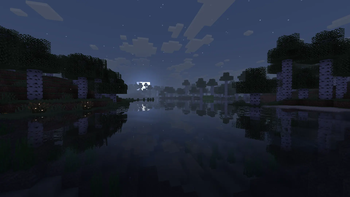
Miniature Shader takes a modest, natural approach. Instead of volumetric clouds and cinematic color grading, it adds just a few effects that make the world feel more solid: blocky shadows, reflections on water, ice and other glossy blocks, and a light rework of glowing blocks. The goal is to keep Minecraft looking like a little model world without paying a big performance price.
What it adds
- Blocky shadows that match the game's pixel style.
- Reflections on water, ice and similar reflective blocks.
- Tweaked emissive lighting so glowing blocks read better at night.
- Very low cost, which is the main reason to choose it.
Requirements
Install a shader loader, Iris (with Sodium) or OptiFine, then drop the zip into your shaderpacks folder. The pack is MIT-licensed, supports a very wide range of Minecraft versions, and is client-side only.
Who it is for
This is the pick for older laptops, low-power desktops, or anyone who wants shadows without losing frame rate. If your machine can handle a bit more, step up to Complementary Reimagined on a low profile. For another ultra-light option, compare it with MakeUp Ultra Fast.
FAQ
Will Miniature Shader run on a laptop with integrated graphics?
It is built to be extremely lightweight and is tagged for potato hardware, so it is one of the better choices for integrated graphics. Results still depend on your exact machine.
Does Miniature need Iris or OptiFine?
Yes, like every shader pack it needs a loader. It supports both Iris and OptiFine.
Are the shadows realistic?
No, and that is on purpose. Shadows are blocky to match Minecraft's pixel style instead of looking soft and photographic.
Gallery


Downloads by version
🛡 Files are downloaded directly from Modrinth’s servers – we never modify or rehost them. Modrinth ↗
How to install this mod
- Install Iris (with Sodium) or OptiFine – Iris runs on Fabric/NeoForge.
- Click “Download” to get the .zip – do not unzip it.
- Copy it into
.minecraft/shaderpacks. - In game: Options → Video Settings → Shader Packs → select the shader.
💬 Comments
✨ You might also like

Complementary Shaders - Reimagined
by EminGT
Preserving the elements of Minecraft with exceptional quality, detail, and performance.

Noble Shaders
by BelmuTM
Using clever lighting techniques and powerful customization to create clean, immersive, and enjoyable visuals.

Shrimple
by Null
A simple Minecraft Java shader that attempts to maintain the vanilla aesthetic while adding optional shadows, colored lighting, and ray-tracing.

Bloop Shaders
by espen96
A shader aimed at maximum speed while maintaining good visuals. Scalable from low to high end computers.

E-LITE shaders (MakeUp edit)
by Entokito
A MakeUp - Ultra Fast shaders edit that is highly customizable, beautiful, and fast!

Pegasus Shaders
by timetravelbeard
A shader that blends high performance range with new features, and lots of stylistic range!