

AstraLex Shaders
Shader · by LexBoosT · 5.8M downloads · Minecraft 26.3
A shader for people who love toggles
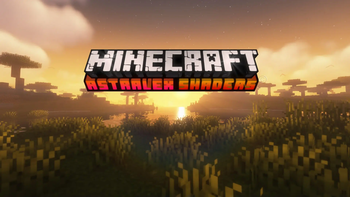
AstraLex Shaders, made by LexBoosT, is built around customization. The core is a full-featured shader – real-time shadows, reworked water and clouds, volumetric light, ambient occlusion and bloom – but the fun part is the long list of extras you can switch on to change the mood of your world.
Core effects
- Real-time shadows and volumetric light rays
- Custom water and clouds
- Ambient occlusion and bloom
- Depth of field, chromatic aberration and distance blur
- Motion blur, ACES tone mapping, TAA or FXAA anti-aliasing
The unusual extras
This is where AstraLex stands out from more restrained packs. You can enable cel shading for a cartoon look, add constellations, shooting stars and a nebula to the night sky, swap the moon for a planet or a Majora's Mask-style moon, show a reticle, add CRT screen effects, biome-based refractions and rain drops sliding down the screen. There are more options beyond these, so expect to spend a while in the settings.
Requirements and install
- Works with Iris or OptiFine; listed for Minecraft 1.16.5 and newer.
- Client side only.
- Install: put the zip in
.minecraft/shaderpacks, launch, then choose it under Options → Video Settings → Shaders. Our step-by-step shader guide covers both loaders.
Rules worth knowing
The pack is All Rights Reserved. You may record videos, take screenshots and edit it for yourself, but sharing it in a modpack or on a server requires the author's permission, and links must point to the official Modrinth or CurseForge pages.
Is it for you?
Pick AstraLex if you want a stylized or fantasy-flavoured world, or if you make videos and like having unusual filters on hand. If you prefer a clean, realistic look with fewer knobs, Photon or Complementary Unbound are calmer choices.
FAQ
Does AstraLex work with Iris?
Yes. The author lists both Iris and OptiFine as supported loaders. Install either one, then pick AstraLex in the Shaders menu.
Can I make AstraLex look like a cartoon?
Yes. Cel shading is one of its optional effects, which gives blocks and mobs outlined, comic-style shading.
Can I put AstraLex in my modpack?
Only with the author's permission. The license allows screenshots, videos and personal edits, but redistribution needs approval and you may only share the official download links.
Gallery


Downloads by version
🛡 Files are downloaded directly from Modrinth’s servers – we never modify or rehost them. Modrinth ↗
How to install this mod
- Install Iris (with Sodium) or OptiFine – Iris runs on Fabric/NeoForge.
- Click “Download” to get the .zip – do not unzip it.
- Copy it into
.minecraft/shaderpacks. - In game: Options → Video Settings → Shader Packs → select the shader.
💬 Comments
✨ You might also like

Complementary Shaders - Reimagined
by EminGT
Preserving the elements of Minecraft with exceptional quality, detail, and performance.

Complementary Shaders - Unbound
by EminGT
Transforming the visuals of Minecraft with exceptional quality, detail, and performance.

Solas Shader
by Septonious
A modern fantasy stylized shaderpack with colored lighting and stunning visuals

Bliss Shaders
by Xonk
A well performing fantasy styled shaderpack with emphasis on scene variation and customization.

Rethinking Voxels
by gri573
[WIP] A gameplay shaderpack based on complementary reimagined that has coloured block light with sharp shadows

Hysteria Shaders
by ElocinDev
Atmospheric, highly customizable horror shaderpack, successor of Insanity Shader.