
Fast Better Grass
Resource pack · by robotkoer · 14.3M downloads · Minecraft 26.3
What does Fast Better Grass do?
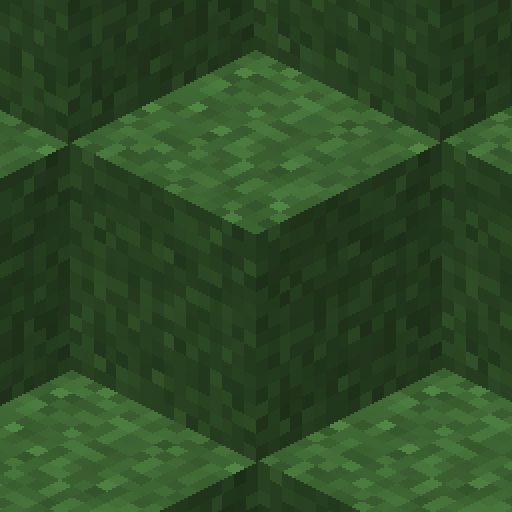
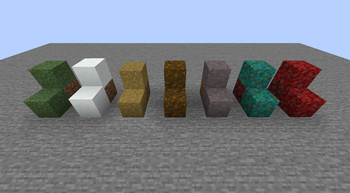
On a vanilla hillside, every grass block shows a strip of dirt on its sides, which makes slopes look striped. OptiFine solved this with a "Better Grass" option. Fast Better Grass recreates the fast version of that option as a tiny resource pack: the top texture is wrapped onto the sides, so hills read as one continuous green surface.
Blocks it changes:
- Grass block and snowy grass block
- Dirt path
- Podzol
- Mycelium
- Crimson and warped nylium
Dirt paths get a bonus – they extend down onto the block below, so village paths blend into the terrain instead of floating.
Why players like it
- Models only, no textures – small file size and it inherits the look of whatever texture pack you use.
- No mod required – drop it in
resourcepacksand enable it. - Plays well with packs that also edit block models.
- A small performance gain, according to the author.
Compatibility
Minecraft 1.19 through 26.3, client side. Older versions are not planned. It comes from the team behind Fabulously Optimized and is included in that modpack, so you only need to add it yourself if you build your own setup.
Pairs well with
Better Leaves for fuller trees and Simple Grass Flowers for extra detail on grassy plains. If you miss other OptiFine visuals, see Continuity for connected textures.
FAQ
Does Fast Better Grass need OptiFine or a mod?
No. It only changes vanilla block models, so it works on a completely unmodded game as well as with Sodium or any other mod setup.
Will it work with my texture pack?
Yes. It contains models only, no textures, so your pack's grass texture is simply reused on the sides.
Is there a fancy mode like in OptiFine?
Not at the moment. The pack imitates OptiFine's fast mode, where the sides of every affected block use the top texture.
Gallery


Downloads by version
| Minecraft | Mod version | File | |
|---|---|---|---|
| 26.3 | 26.3 | 0.0 MB | Download |
| 26.2 | 26.2 | 0.0 MB | Download |
| 26.1.2 | 26.2 | 0.0 MB | Download |
| 26.1.1 | 26.2 | 0.0 MB | Download |
| 26.1 | 26.2 | 0.0 MB | Download |
| 1.21.11 | 26.2 | 0.0 MB | Download |
| 1.21.10 | 26.2 | 0.0 MB | Download |
| 1.21.9 | 26.2 | 0.0 MB | Download |
| 1.21.8 | 26.2 | 0.0 MB | Download |
| 1.21.7 | 26.2 | 0.0 MB | Download |
| 1.21.6 | 26.2 | 0.0 MB | Download |
| 1.21.5 | 26.2 | 0.0 MB | Download |
| 1.21.4 | 26.2 | 0.0 MB | Download |
| 1.21.3 | 26.2 | 0.0 MB | Download |
| 1.21.2 | 26.2 | 0.0 MB | Download |
| 1.21.1 | 26.2 | 0.0 MB | Download |
| 1.21 | 26.2 | 0.0 MB | Download |
| 1.20.6 | 26.2 | 0.0 MB | Download |
| 1.20.5 | 26.2 | 0.0 MB | Download |
| 1.20.4 | 26.2 | 0.0 MB | Download |
| 1.20.3 | 26.2 | 0.0 MB | Download |
| 1.20.2 | 26.2 | 0.0 MB | Download |
| 1.20.1 | 26.2 | 0.0 MB | Download |
| 1.20 | 26.2 | 0.0 MB | Download |
| 1.19.4 | 1.19.4 | 0.0 MB | Download |
| 1.19.3 | 1.19.3 | 0.0 MB | Download |
| 1.19.2 | 1.19.3 | 0.0 MB | Download |
| 1.19.1 | 1.19.3 | 0.0 MB | Download |
| 1.19 | 1.19.3 | 0.0 MB | Download |
🛡 Files are downloaded directly from Modrinth’s servers – we never modify or rehost them. Modrinth ↗
How to install this mod
- Click “Download” to get the .zip – do not unzip it.
- Copy it into
.minecraft/resourcepacks. - In game: Options → Resource Packs → click the arrow to enable it.
- Using several packs? Put the most important one on top.
💬 Comments
✨ You might also like

Dramatic Skys
by thebaum64
Dramatic Skys is an add on pack that will make the skies in your game HD with realistic clouds and lighting. This pack works with any other resource pack, just simply add it over any other pack on the selection screen!

Os' Colorful Grasses
by Oslypsis
Fluffier grasses! Tall, short, or original X style versions available, as well as a mix of the three for the optimal balance of visuals & performance. Get the full version on Patreon!

Default HD 128x
by thebaum64
The classic Minecraft experience but in amazing 128x HD!

Teddy Totems
by nino
Always have a cute little teddy friend in your off-hand :D

Cubic Sun & Moon
by JoeFly
Recreates the Sun and the Moon in 3D and is compatible with mods that add sky features.

Better Lanterns
by Nico4play
Improves lanterns and chains models with an enhanced 3D look for a more immersive experience.