

Insanity Shader
Shader · by ElocinDev · 8.2M downloads · Minecraft 1.21.3
A shader made to scare you
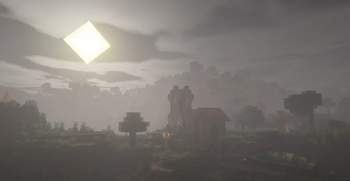
Insanity Shader is not trying to make Minecraft pretty – it is trying to make it unsettling. Nights are genuinely dark, fog rolls in, and weather ranges from misty mornings to heavy storms. Its author made it for the horror modpack Fear Nightfall, and it fits any pack where creeping dread is the point.
Under the hood it starts from BSL Shaders, so you still get proper shadows, bloom and lighting. On top of that it adds a much bigger options menu, its own clouds and a colour grade tuned for tension.
Highlights
- Horror-focused visuals – muted colours, thick fog, oppressive darkness.
- Immersive weather that changes the mood of a whole session.
- Darker Nether and End – bring torches everywhere, not only at night.
- Quick options menu for the settings people change most, plus deep configuration for tinkerers.
- Optimised for modern low-end GPUs, according to the author.
- Realistic texture pack support via the Advanced Materials toggle.
Requirements and installation
The author recommends Iris; OptiFine builds are listed as well.
- Install Iris (it sets up Fabric for you), and ideally Sodium too.
- Put the Insanity zip into
.minecraft/shaderpacks. - Launch the Fabric profile, then go to Video Settings → Shader Packs and pick Insanity.
Version range on this page is 1.7.2 to 1.21.3. If you play something newer, confirm in the version table that a matching file exists.
Sharing and content creation
Videos and streams with Insanity are welcome; credit is appreciated but not required. If you want to share the shader with friends, send them the project page link rather than re-uploading the files.
For a different spooky flavour, look at Spooklementary.
FAQ
Is Insanity Shader based on BSL?
Yes. It is built on BSL Shaders by Capt Tatsu, then expanded with extra settings, new clouds and a darker, scarier atmosphere.
Which Minecraft versions does Insanity support?
The files here cover 1.7.2 up to 1.21.3. Newer game versions are not listed, so check the version table before installing.
Does Insanity work with realistic texture packs?
Yes. For PBR-style packs, enable Advanced Materials in the Materials and Reflections section of the shader settings.
Gallery

Downloads by version
🛡 Files are downloaded directly from Modrinth’s servers – we never modify or rehost them. Modrinth ↗
How to install this mod
- Install Iris (with Sodium) or OptiFine – Iris runs on Fabric/NeoForge.
- Click “Download” to get the .zip – do not unzip it.
- Copy it into
.minecraft/shaderpacks. - In game: Options → Video Settings → Shader Packs → select the shader.
💬 Comments
✨ You might also like

Complementary Shaders - Reimagined
by EminGT
Preserving the elements of Minecraft with exceptional quality, detail, and performance.

Complementary Shaders - Unbound
by EminGT
Transforming the visuals of Minecraft with exceptional quality, detail, and performance.

Solas Shader
by Septonious
A modern fantasy stylized shaderpack with colored lighting and stunning visuals

Bliss Shaders
by Xonk
A well performing fantasy styled shaderpack with emphasis on scene variation and customization.

Spooklementary
by SpacEagle17
A Spooky, very moody and atmospheric Complementary Shaders Edit

Noble Shaders
by BelmuTM
Using clever lighting techniques and powerful customization to create clean, immersive, and enjoyable visuals.