
Cobblemon Interface
Resource pack · by VinnyStalck · 10.2M downloads · Minecraft 1.21.1
What it does
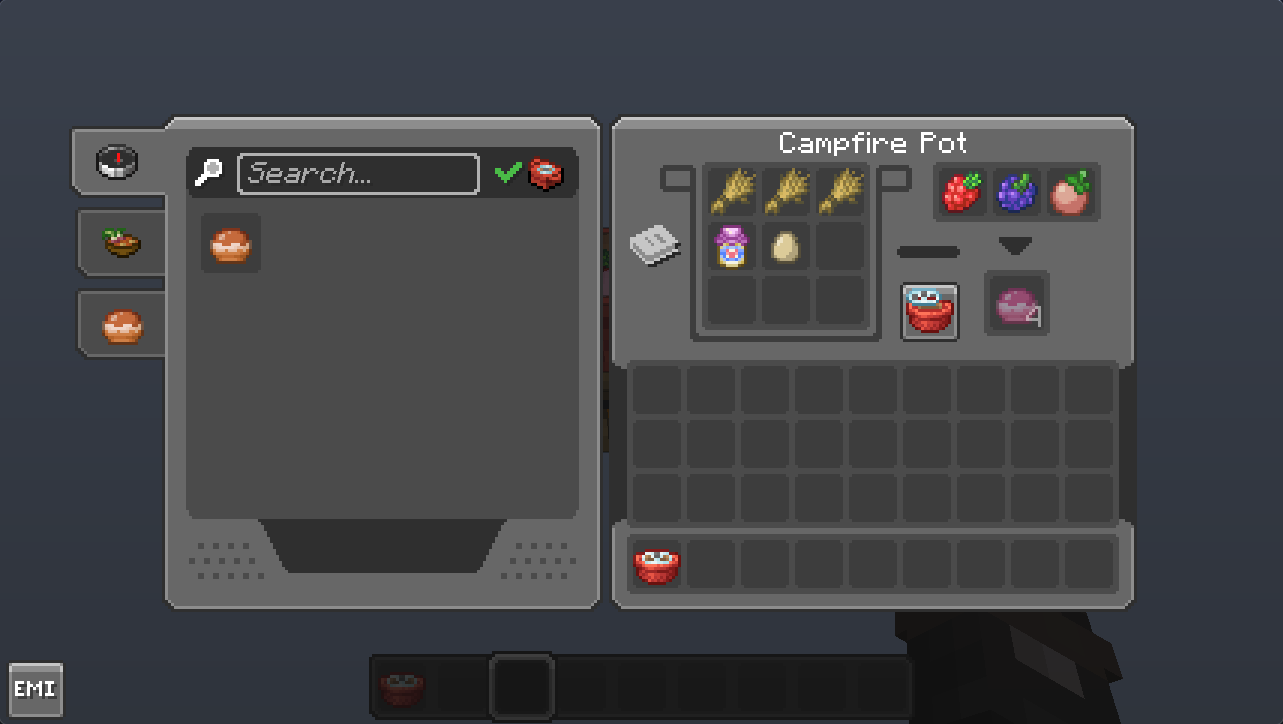
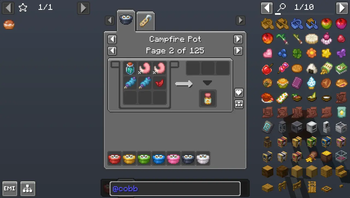
Cobblemon brings Pokémon-style creatures into Minecraft, but the rest of the interface – inventory, chests, crafting, buttons – still looks like vanilla. Cobblemon Interface fixes that mismatch. It retextures Minecraft's GUI with rounded, book-like panels inspired by the Pokémon Legends Arceus style and swaps interface sounds so clicks and menus feel like part of the same game.
Optional mods it supports
| Mod | What it adds |
|---|---|
| Cobblemon | Matching style for Cobblemon's own screens |
| Respackopts | In-game options to customise parts of the pack (highly recommended) |
| Mod Menu / Fabric API | Styled mod list and Fabric screens |
| Raised | Lifts the hotbar so its new frame is not cut off |
There is also a recoloured edition, and a separate add-on, Cobblemon Interface Modded, that extends the look to many other mods' screens.
Setup tips
- Place it in
resourcepacksand enable it near the top of the list so its GUI textures win over other packs. - The pack uses core shaders for some effects, so a few visual details may differ if you run shader mods that replace those.
- Round item slots can make long items like swords look off-centre; the author suggests an item-render tweak pack for that.
Who is it for?
Anyone running a Cobblemon server or playing a Cobblemon modpack such as Cobblemon Fabric or Cobbleverse. Combine it with Cobblemon Emissive Ores or the battle music pack for a more complete Pokémon feel.
FAQ
Does Cobblemon Interface require the Cobblemon mod?
No, it is a resource pack and loads on its own. It is designed around Cobblemon's look, though, so it makes the most sense in a Cobblemon world.
Which Minecraft versions does Cobblemon Interface support?
It is listed for 1.20 to 1.21.1. Pack version 0.8 and up targets 1.20, and 1.4 and up targets 1.21.
Why do my modded menus still look vanilla?
The base pack covers vanilla screens and a few mods. Add Cobblemon Interface Modded on top to restyle many more modded GUIs.
Gallery


Downloads by version
| Minecraft | Mod version | File | |
|---|---|---|---|
| 1.21.1 | 1.6.0 | 13 MB | Download |
| 1.21 | 1.6.0 | 13 MB | Download |
| 1.20.1 | 1.5.1 | 13 MB | Download |
| 1.20 | 1.5.1 | 13 MB | Download |
🛡 Files are downloaded directly from Modrinth’s servers – we never modify or rehost them. Modrinth ↗
How to install this mod
- Click “Download” to get the .zip – do not unzip it.
- Copy it into
.minecraft/resourcepacks. - In game: Options → Resource Packs → click the arrow to enable it.
- Using several packs? Put the most important one on top.
💬 Comments
🔗 Works well with

Cobblemon
by CobbledStudios
A Pokémon mod for Fabric and NeoForge

Respackopts
by JFronny
Config menus for resource packs
Cobblemon Interface: Modded
by VinnyStalck
Mod support for the Cobblemon Interface resourcepack

Fabric API
by modmuss50
Lightweight and modular API providing common hooks and intercompatibility measures utilized by mods using the Fabric toolchain.

Mod Menu
by Prospector
Adds a mod menu to view the list of mods you have installed.
✨ You might also like
Default Dark Mode
by nebulr
🌙 The Dark Mode Resource Pack for Minecraft: Java Edition
Mandala's GUI - Dark mode
by CesarZorak
Mandala GUI is an elegant theme, in the style of Mandala Creations. It is specifically made for people who like Dark mode. It only changes the UI of Minecraft, without changing items or blocks.
Enhanced Boss Bars
by Naku
New improved boss bars!

Recolourful Containers GUI + HUD
by Vi_Tul
Do you want more immersive, more interesting, more colourful GUIs and HUD? Than this pack is for you!
Canon PC Wallpapers [Cobblemon]
by dhi_holo
This addon adds a variety of wallpapers from Generations 3 through 9 to Cobblemon, via the new Wallpaper Addon Systems.

Unique Dark
by amongstreality
Dark GUI with unique textures for functional blocks. Dark mode for 80 mods