

More Culling
Mod · por FX · 76,2 mi downloads
Sobre
More Culling é um mod de Minecraft Java focado em biblioteca, otimização e utilidades, feito para Fabric, NeoForge e Quilt, compatível com as versões 1.18.2 a 26.3. O projeto é desenvolvido por FX e tem 76,2 mi downloads no Modrinth.
Descrição original do autor (em inglês):
A mod that changes how multiple types of culling are handled in order to improve performance
Galeria
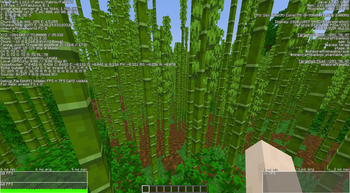


Downloads por versão
| Minecraft | Loader | Versão do mod | Arquivo | |
|---|---|---|---|---|
| 26.3 | Fabric | 1.9.2 | 0.3 MB | Baixar |
| 26.3 | NeoForge | 1.9.2 | 0.3 MB | Baixar |
| 26.3 | Quilt | 1.9.2 | 0.3 MB | Baixar |
| 26.2 | Fabric | 1.8.2 | 0.3 MB | Baixar |
| 26.2 | NeoForge | 1.8.2 | 0.3 MB | Baixar |
| 26.2 | Quilt | 1.8.2 | 0.3 MB | Baixar |
| 26.1.2 | Fabric | 1.7.4 | 0.3 MB | Baixar |
| 26.1.2 | NeoForge | 1.7.4 | 0.3 MB | Baixar |
| 26.1.2 | Quilt | 1.7.4 | 0.3 MB | Baixar |
| 26.1.1 | Fabric | 1.7.4 | 0.3 MB | Baixar |
| 26.1.1 | NeoForge | 1.7.4 | 0.3 MB | Baixar |
| 26.1.1 | Quilt | 1.7.4 | 0.3 MB | Baixar |
| 26.1 | Fabric | 1.7.4 | 0.3 MB | Baixar |
| 26.1 | NeoForge | 1.7.4 | 0.3 MB | Baixar |
| 26.1 | Quilt | 1.7.4 | 0.3 MB | Baixar |
| 1.21.11 | Fabric | 1.6.2 | 0.3 MB | Baixar |
| 1.21.11 | NeoForge | 1.6.2 | 0.3 MB | Baixar |
| 1.21.11 | Quilt | 1.6.2 | 0.3 MB | Baixar |
| 1.21.5 | Fabric | 1.3.1 | 0.3 MB | Baixar |
| 1.21.5 | NeoForge | 1.3.1 | 0.3 MB | Baixar |
| 1.21.5 | Quilt | 1.3.1 | 0.3 MB | Baixar |
| 1.21.4 | Fabric | 1.2.10 | 0.3 MB | Baixar |
| 1.21.4 | NeoForge | 1.2.10 | 0.3 MB | Baixar |
| 1.21.4 | Quilt | 1.2.10 | 0.3 MB | Baixar |
| 1.21.3 | Fabric | 1.1.1 | 0.3 MB | Baixar |
| 1.21.3 | NeoForge | 1.1.1 | 0.3 MB | Baixar |
| 1.21.3 | Quilt | 1.1.1 | 0.3 MB | Baixar |
| 1.21.2 | Fabric | 1.1.1 | 0.3 MB | Baixar |
| 1.21.2 | NeoForge | 1.1.1 | 0.3 MB | Baixar |
| 1.21.2 | Quilt | 1.1.1 | 0.3 MB | Baixar |
| 1.21.1 | Fabric | 1.0.11 | 0.3 MB | Baixar |
| 1.21.1 | NeoForge | 1.0.11 | 0.3 MB | Baixar |
| 1.21.1 | Quilt | 1.0.11 | 0.3 MB | Baixar |
| 1.21 | Fabric | 1.0.11 | 0.3 MB | Baixar |
| 1.21 | NeoForge | 1.0.11 | 0.3 MB | Baixar |
| 1.21 | Quilt | 1.0.11 | 0.3 MB | Baixar |
| 1.20.6 | Fabric | 0.25.0 | 0.2 MB | Baixar |
| 1.20.6 | Quilt | 0.25.0 | 0.2 MB | Baixar |
| 1.20.5 | Fabric | 0.25.0 | 0.2 MB | Baixar |
| 1.20.5 | Quilt | 0.25.0 | 0.2 MB | Baixar |
🛡 Os arquivos são baixados direto dos servidores do Modrinth – nunca alteramos nem hospedamos os arquivos.
Como instalar este mod
- Instale o Fabric para a versão do Minecraft que você joga.
- Escolha sua versão do Minecraft + loader na tabela acima e clique em “Baixar” para pegar o .jar.
- Abra
.minecraft/mods(Windows: digite%appdata%\.minecraftna barra de endereço) e copie o arquivo para lá. - Abra o launcher, escolha o perfil do Fabric e clique em Jogar.
💬 Comentários
📰 Artigos recentes
- Compatível com
- 1.18.2 – 26.3
- Cliente
- obrigatório
- Servidor
- não precisa
- Licença
- GPL-3.0-only
- Atualizado
- Código-fonte
- GitHub ↗