

Sodium
Mod · by jellysquid3 · 256M downloads · Minecraft 26.3
What does Sodium do?
Sodium swaps out the part of Minecraft that draws the world on your screen. The vanilla renderer is old and wastes a lot of work on every frame; Sodium rebuilds it with a modern approach, so chunks load and display faster and the game holds a steadier frame rate. Equally important, it removes much of the micro-stutter you notice when flying or turning quickly.
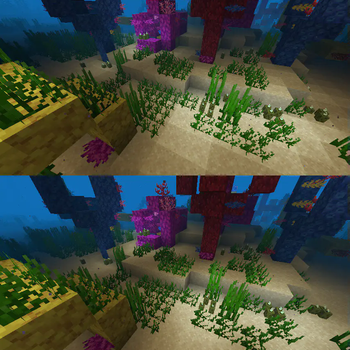
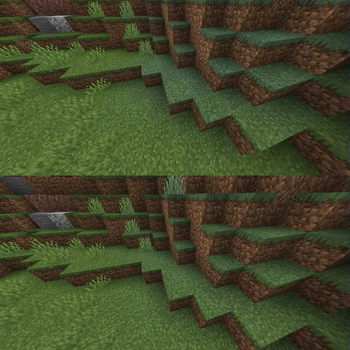
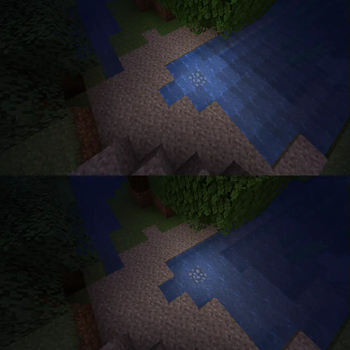
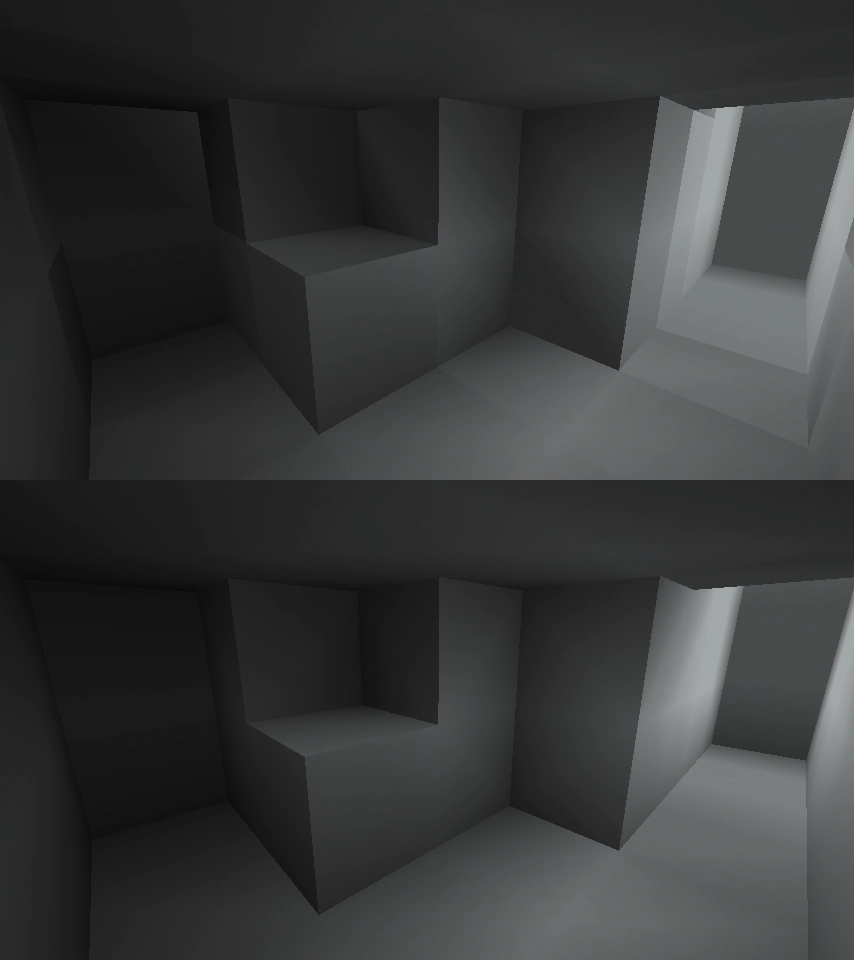
What it does not do is change the art style. Blocks, lighting and fog look the way Mojang designed them, and the developers also fix a number of graphical glitches along the way.
Key points
- Works out of the box – every optimization your hardware supports is switched on by default. Most players never need to touch the settings.
- New Video Settings screen – once installed, the options menu gets a redesigned layout. If you see it, the mod is loaded correctly.
- Good mod compatibility – unlike older rendering mods, Sodium is built to coexist with the wider Fabric and NeoForge ecosystem.
- Rendering only – it does not touch game logic, so pair it with other mods for server-tick and memory gains.
Requirements and compatibility
Sodium runs on Fabric, Quilt and NeoForge, with builds going back to Minecraft 1.16.3. It is a client mod only. On Fabric it does not require Fabric API, although most modpacks include it anyway.
Hardware-wise, the team officially supports desktop GPUs with current drivers and OpenGL 4.5 – roughly Intel HD 500 series, NVIDIA GeForce 400 series, AMD Radeon HD 7000 series or newer. Older cards that already run Minecraft usually work too, just without official support. If you hit crashes or black screens, update your graphics driver first; outdated drivers cause most reported problems.
Who should install it, and what to add
Practically every Java player benefits, but laptops and PCs with integrated graphics see the most obvious difference. A popular starter kit looks like this:
- Lithium – optimizes game logic such as mob AI and block ticking.
- FerriteCore – lowers RAM usage.
- Sodium Extra and Reese's Sodium Options – extra toggles and a cleaner menu.
If you would rather not assemble mods yourself, the Fabulously Optimized modpack ships Sodium already configured.
FAQ
Does Sodium work with OptiFine?
No. Sodium and OptiFine both rewrite the renderer and cannot run together. For shaders on Sodium, install Iris instead.
Do I need to install Sodium on my server?
No. Sodium is client-only and has no server component, so you can use it on any server, including vanilla ones.
Does Sodium work on Android launchers?
Not officially. The developers state that devices relying on OpenGL translation layers such as GL4ES or ANGLE are unsupported and can perform very badly.
Gallery
Downloads by version
| Minecraft | Loader | Mod version | File | |
|---|---|---|---|---|
| 26.3 | Fabric | mc26.3-0.9.3-fabric | 1.8 MB | Download |
| 26.3 | NeoForge | mc26.3-0.9.3-neoforge | 1.2 MB | Download |
| 26.2 | Fabric | mc26.2-0.9.2-fabric | 1.8 MB | Download |
| 26.2 | NeoForge | mc26.2-0.9.2-neoforge | 1.2 MB | Download |
| 26.1.2 | Fabric | mc26.1.2-0.9.2-fabric | 1.9 MB | Download |
| 26.1.2 | NeoForge | mc26.1.2-0.9.2-neoforge | 1.2 MB | Download |
| 26.1.1 | Fabric | mc26.1.1-0.8.9-fabric | 1.7 MB | Download |
| 26.1.1 | NeoForge | mc26.1.1-0.8.9-neoforge | 1.1 MB | Download |
| 26.1 | Fabric | mc26.1.1-0.8.9-fabric | 1.7 MB | Download |
| 26.1 | NeoForge | mc26.1.1-0.8.9-neoforge | 1.1 MB | Download |
| 1.21.11 | Fabric | mc1.21.11-0.8.14-fabric | 1.8 MB | Download |
| 1.21.11 | NeoForge | mc1.21.11-0.8.14-neoforge | 1.1 MB | Download |
| 1.21.10 | Fabric | mc1.21.10-0.7.3-fabric | 1.6 MB | Download |
| 1.21.10 | NeoForge | mc1.21.10-0.7.3-neoforge | 1.1 MB | Download |
| 1.21.9 | Fabric | mc1.21.10-0.7.3-fabric | 1.6 MB | Download |
| 1.21.8 | Fabric | mc1.21.8-0.7.3-fabric | 1.5 MB | Download |
| 1.21.8 | NeoForge | mc1.21.8-0.7.3-neoforge | 1.2 MB | Download |
| 1.21.7 | Fabric | mc1.21.8-0.7.3-fabric | 1.5 MB | Download |
| 1.21.7 | NeoForge | mc1.21.8-0.7.3-neoforge | 1.2 MB | Download |
| 1.21.6 | Fabric | mc1.21.8-0.7.3-fabric | 1.5 MB | Download |
| 1.21.6 | NeoForge | mc1.21.8-0.7.3-neoforge | 1.2 MB | Download |
| 1.21.4 | Fabric | mc1.21.4-0.6.13-fabric | 1.2 MB | Download |
| 1.21.4 | NeoForge | mc1.21.4-0.6.13-neoforge | 1.1 MB | Download |
| 1.21.3 | Fabric | mc1.21.3-0.6.13-fabric | 1.2 MB | Download |
| 1.21.3 | NeoForge | mc1.21.3-0.6.13-neoforge | 1.1 MB | Download |
| 1.21.2 | Fabric | mc1.21.3-0.6.13-fabric | 1.2 MB | Download |
| 1.21.1 | Fabric | mc1.21.1-0.8.13-fabric | 1.5 MB | Download |
| 1.21.1 | NeoForge | mc1.21.1-0.8.13-neoforge | 1.2 MB | Download |
| 1.21 | Fabric | mc1.21.1-0.6.13-fabric | 1.2 MB | Download |
| 1.20.6 | Fabric | mc1.20.6-0.5.11 | 0.9 MB | Download |
| 1.20.6 | Quilt | mc1.20.6-0.5.11 | 0.9 MB | Download |
| 1.20.5 | Fabric | mc1.20.6-0.5.8 | 0.9 MB | Download |
| 1.20.5 | Quilt | mc1.20.6-0.5.8 | 0.9 MB | Download |
| 1.20.4 | Fabric | mc1.20.4-0.5.8 | 0.9 MB | Download |
| 1.20.4 | Quilt | mc1.20.4-0.5.8 | 0.9 MB | Download |
| 1.20.3 | Fabric | mc1.20.4-0.5.8 | 0.9 MB | Download |
| 1.20.3 | Quilt | mc1.20.4-0.5.8 | 0.9 MB | Download |
| 1.20.2 | Fabric | mc1.20.2-0.5.5 | 0.9 MB | Download |
| 1.20.2 | Quilt | mc1.20.2-0.5.5 | 0.9 MB | Download |
| 1.20.1 | Fabric | mc1.20.1-0.5.13-fabric | 0.9 MB | Download |
🛡 Files are downloaded directly from Modrinth’s servers – we never modify or rehost them. Modrinth ↗
How to install this mod
- Install Fabric for the Minecraft version you play.
- Pick your Minecraft version + loader in the table above and click “Download” to get the .jar.
- Open
.minecraft/mods(Windows: type%appdata%\.minecraftin the address bar) and copy the file there. - Start the launcher, choose the Fabric profile and press Play.
💬 Comments
✨ You might also like

Iris Shaders
by coderbot
A modern shader pack loader for Minecraft intended to be compatible with existing OptiFine shader packs

Entity Culling
by tr7zw
Using async path-tracing to hide Block-/Entities that are not visible

FerriteCore
by malte0811
Memory usage optimizations

Lithium
by jellysquid3
No-compromises game logic optimization mod, useful for both single-player games and multi-player servers.

ImmediatelyFast
by RaphiMC
Speed up immediate mode rendering in Minecraft

Sodium Extra
by FlashyReese
A Sodium addon that adds features that shouldn't be in Sodium.