

Dungeons and Taverns
Datapack · by NovaWostra · 22.4M downloads · Minecraft 26.3
Structures that feel like they belong
Dungeons and Taverns by NovaWostra adds new places to find while exploring, designed to look like Mojang could have made them. Some are calm points of interest – roadside taverns, fire watch towers – and others are proper dungeons such as a badlands outpost or a hidden illager base. The goal is variety without breaking the vanilla mood.
What you'll find
- Taverns with a cartographer who sells special maps once leveled up, giving you a reason to explore further.
- Themed dungeons with their own layouts and loot tables.
- Exclusive enchantments only found as structure loot. Examples include Aerial's Bane for hitting airborne targets, Antidote against poison and wither damage, and Ghasted, which turns arrows fired from a crossbow into ghast fireballs. Each is tied to specific structures, so hunting them becomes a goal in itself.
- Custom keys found in its structures, with their own item textures.
Installation and compatibility
| Format | data pack (a mod version also exists) |
| Where | server/world side; players joining don't need it |
| Versions | 1.19 – current releases |
For a single-player world, add the zip in the Data Packs screen when creating the world. For a server, put it in world/datapacks before generating new terrain. Add the same file as a resource pack to see the key textures.
Good companions
It is commonly paired with terrain packs like Terralith and Tectonic, and stacks well with other structure packs such as Towns and Towers or Explorify for a world full of discoveries.
FAQ
How do I get maps from a Dungeons and Taverns tavern?
Trade with the cartographer inside a tavern until they reach Apprentice. After that you can move them anywhere and keep leveling them to unlock more charts.
Can I disable structures I don't like?
Yes. In the data pack, open the nova_structures structure_set folder and delete the file for the structure you want to remove, ideally before generating new chunks.
Why don't the custom keys have textures?
The data pack version also needs to be enabled as a resource pack, since the file works as both. The mod version loads those textures automatically.
Gallery


Downloads by version
| Minecraft | Mod version | File | |
|---|---|---|---|
| 26.3 | 6.2.0 | 21 MB | Download |
| 26.2 | 5.3.2 | 20 MB | Download |
| 26.1.2 | 5.2.0 | 19 MB | Download |
| 26.1.1 | 5.2.0 | 19 MB | Download |
| 26.1 | 5.2.0 | 19 MB | Download |
| 1.21.11 | v5.1.0 | 19 MB | Download |
| 1.21.10 | v5.0.4 | 19 MB | Download |
| 1.21.9 | v5.0.4 | 19 MB | Download |
| 1.21.8 | v4.7.3 | 15 MB | Download |
| 1.21.7 | v4.7.3 | 15 MB | Download |
| 1.21.6 | v4.7.3 | 15 MB | Download |
| 1.21.5 | v4.7.3 | 15 MB | Download |
| 1.21.4 | v4.6.3 | 14 MB | Download |
| 1.21.3 | v4.5 | 13 MB | Download |
| 1.21.2 | v4.5 | 13 MB | Download |
| 1.21.1 | v4.4.4 | 12 MB | Download |
| 1.21 | v4.4.4 | 12 MB | Download |
| 1.20.6 | 3.2 | 6.4 MB | Download |
| 1.20.5 | 3.2 | 6.4 MB | Download |
| 1.20.4 | 3.1.1 | 6.4 MB | Download |
| 1.20.3 | 3.1.1 | 6.4 MB | Download |
| 1.20.2 | 3.0.3.f | 6.3 MB | Download |
| 1.20.1 | 3.0.3.f | 6.3 MB | Download |
| 1.20 | 3.0.3.f | 6.3 MB | Download |
| 1.19.4 | 2.0.2 | 4.3 MB | Download |
| 1.19.3 | 2.0.2 | 4.3 MB | Download |
| 1.19.2 | 2.0.2 | 4.3 MB | Download |
| 1.19.1 | 2.0.2 | 4.3 MB | Download |
| 1.19 | 2.0.2 | 4.3 MB | Download |
🛡 Files are downloaded directly from Modrinth’s servers – we never modify or rehost them. Modrinth ↗
How to install this mod
- Click “Download” to get the .zip.
- Copy it into
.minecraft/saves/./datapacks - Or when creating a new world: Data Packs → drag and drop the file.
- In a running world type
/reload.
💬 Comments
✨ You might also like
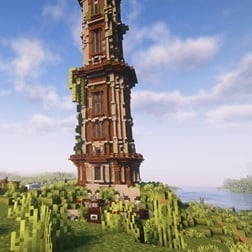
Improved Pillager Outpost
by Sashiro
The "Improved Pillager Outpost" Datapack revamps the standard Minecraft Pillager Outpost into a challenging, multi-level tower. This overhaul adds detailed architecture, tougher enemies, and exclusive loot, creating a more immersive and rewarding experie
ATi Structures
by ATi
Custom vanilla dungeons and structures for both Fabric and Forge

Dynamic Lights
by Tschipcraft
Supported entities and items such as torches, lanterns, or enchanted gear emit light! Server-side!
Spawn Animations
by Tschipcraft
Hostile mobs dig out of the ground or poof into existence when they spawn!

Blossom Blade
by joshieman
The sword stuck in the pedestal glows with a holy light, carrying the smell of cherry blossoms with every swing.

Pokemans Pack [Cobblemon]
by Tontra
A datapack for Cobblemon that adds pokemon without an official model, at a high standard :)